 F1 Strategy Hub
Updates / 4.19.0
Lap analysis by corner and mini sector, steering and brake traces, corner names on the map
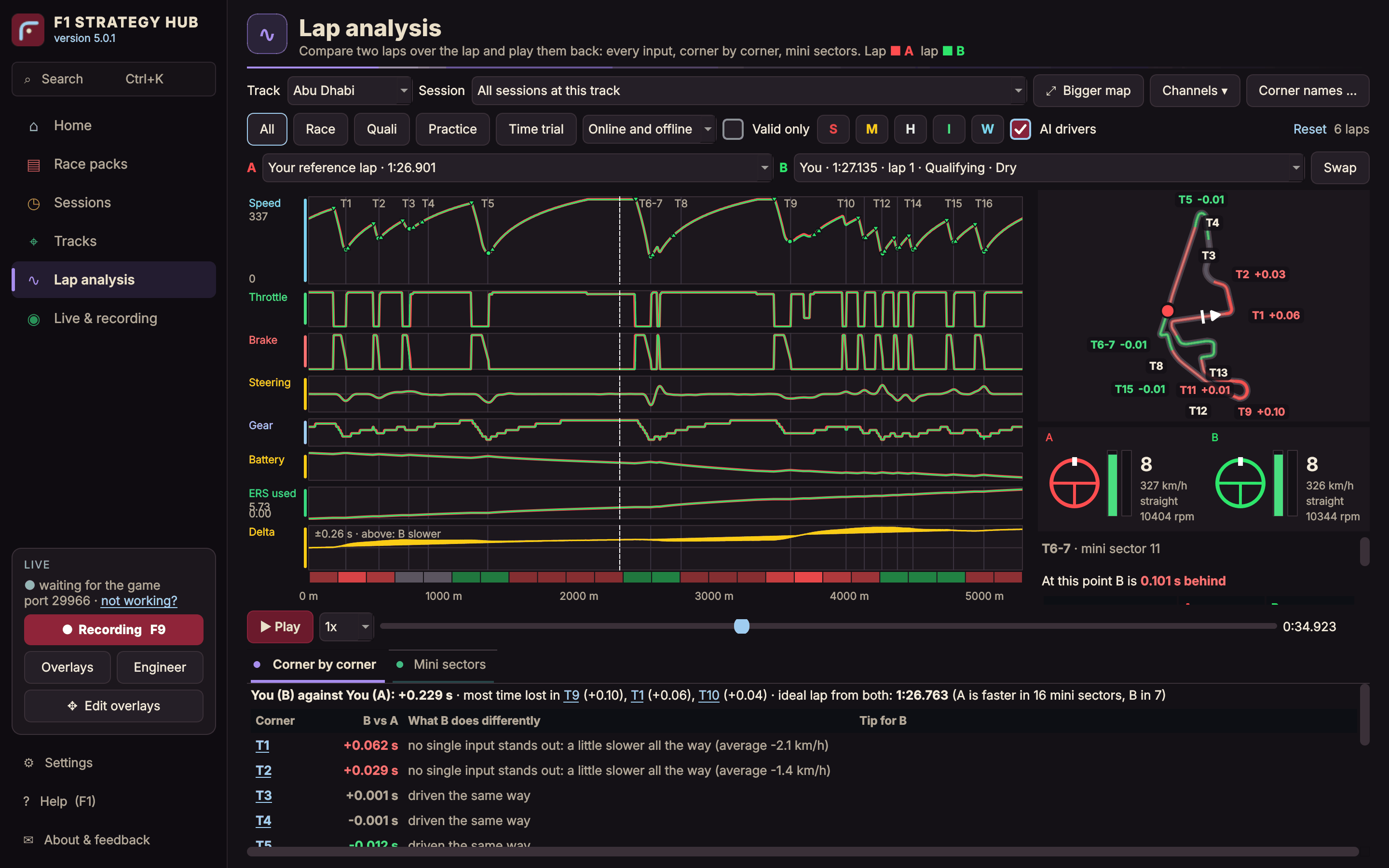
Lap analysis: what you do differently, corner by corner
- Corner by corner: for every corner the time lap B gains or loses on lap A and what B does differently, in the order it happens: brakes earlier or later (in metres), brakes harder, turns in later, lowest speed, gear, steering lock, coasting, back on the throttle, full throttle, exit speed. A tip says what to change where B loses time.
- Mini sectors: the lap in 25 parts with the time of both laps in each, a coloured strip under the charts and the same colours on the track map. With the ideal lap made of the faster of the two laps in every mini sector.
- Corners on the map and in the charts: the official corner numbers and names (Variante del Rettifilo, Eau Rouge, Copse ...) for 24 tracks; the app lines them up with the corners it finds in your lap. Other tracks get their corners numbered in the order driven. "Corner names" lets you use your own names.
- Click a corner or a mini sector in the tables and the cursor jumps there.
Inputs
- Steering is recorded now (your car and every car with public telemetry) and has its own chart; brake and throttle each have their own chart too.
- Input display at the cursor and during playback: steering wheel, throttle and brake bars, gear and speed of both laps, like an onboard overlay.
- Laps recorded with older versions still work; they have no steering.
How to update: the app offers it at startup (Update now). Or download the setup from GitHub and run it; your packs, sessions and settings stay.