 F1 Strategy Hub
Updates / 4.20.0
New navigation and home page, every input in the lap analysis, much faster with many sessions
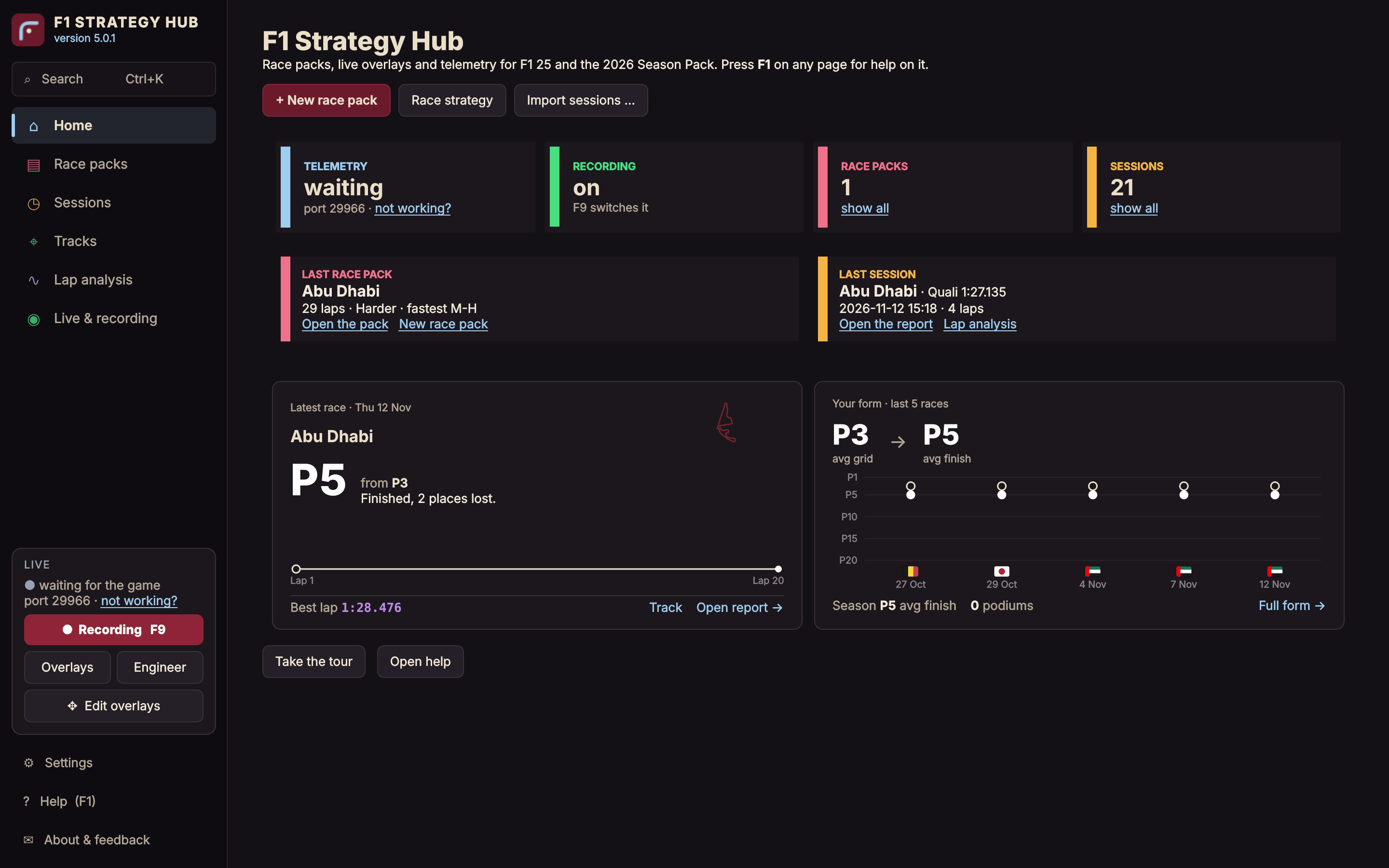
A clearer app
- New navigation on the left: Home, Race packs, Sessions & tracks, Lap analysis, Live & recording. The page you are on is marked, nothing is cut off any more.
- Home: game connection, recording, your packs and sessions at a glance, the last pack and the last session with one click to the report or the lap analysis, and the first steps for new drivers.
- Race packs have their own page (new, import, delete); a pack has "All race packs" to go back.
- The Live box at the bottom left: connection, recording (F9), overlays and the engineer view. Settings, Help and About & feedback below it.
- Live & recording: all live cards are visible; drag the line under them for more room for the sessions.
Lap analysis: every input
- Your laps are recorded every 5 m (was 20 m) with RPM, DRS, ERS deployed and harvested and tyre wear, next to speed, throttle, brake, steering, gear and battery.
- Channels: pick what the charts show; ERS mode and DRS are coloured bands.
- Zoom: mouse wheel over the charts, or click a corner or mini sector; the map zooms with it. Double click or "Whole lap" goes back.
- Markers like a telemetry tool: where each lap starts braking, is slowest and is back on full throttle, in the chart and on the map. The map shows the time gained or lost in every corner.
- Corner by corner now also compares ERS deployed and harvested, the ERS mode and DRS, with tips for straights (deploy more, open DRS earlier).
- Corner names checked against Wikipedia: wrong ones are gone, Silverstone was one corner off from turn 13.
Faster
- With a season of sessions a pack opened in about 4 seconds and a track page in about 2: now well under half a second. The app keeps a small index of your sessions and reads a file again only when it changed.
How to update: the app offers it at startup (Update now). Or download the setup from GitHub and run it; your packs, sessions and settings stay.