 F1 Strategy Hub
Updates / 5.1.0
Live engineer: share your session with a code, a pit wall for your engineer, engineer AI, race packs from screenshots and deleting sessions
The biggest update since the AI features: your race engineer can now sit at their own PC and follow your race live, wherever they are. They see what your app sees, talk to you on your HUD and can change your pit plan. There is also an AI for the engineer, and you can delete sessions right on the Sessions page again.
Share your session with a code
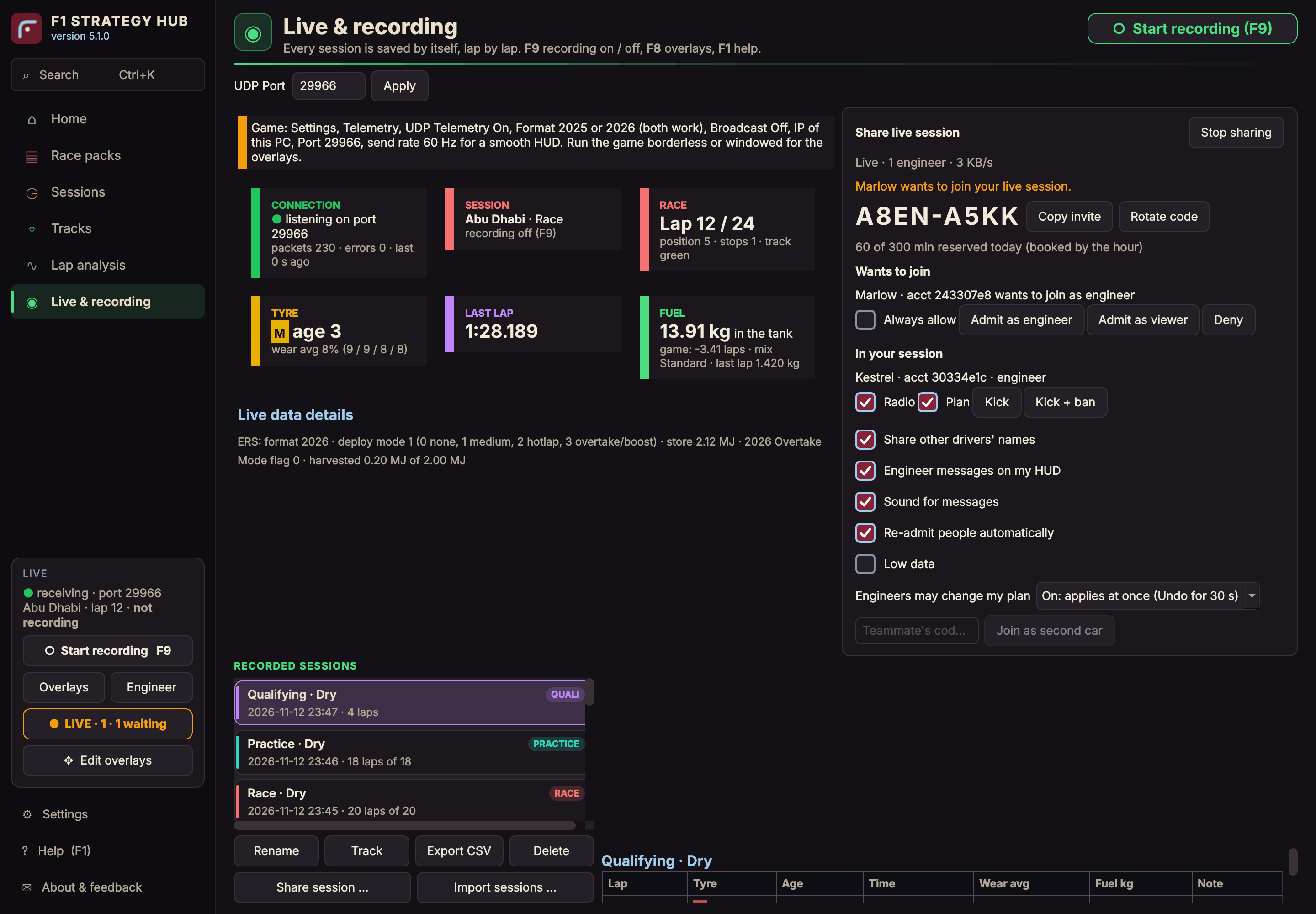
On the Live & recording page, click Share live session. You get a code like K7Q4-MX2P and a Copy invite button. Your engineer opens the Race engineer window (F11), clicks Join session…, signs in with Google and types the code. You see who wants to join and click Admit as engineer or Admit as viewer (a viewer only watches).
- No VPN, no port forwarding, no network setup: both PCs only talk to the app's own server, like the AI and cloud sync do.
- Your app sends nothing while nobody watches, and it never waits for the network: the HUD, the overlays and recording run as before.
- Always allow lets the people you trust in by themselves next time. Kick and Kick + ban remove someone.
- The telemetry is relayed and never stored. Share other drivers' names is on by default; switched off, the other cars show as their number and team.
- It is free, with a daily limit: up to 300 minutes of sharing per driver per day, a room stays open for up to 4 hours, with up to 6 engineers.
A pit wall for your engineer
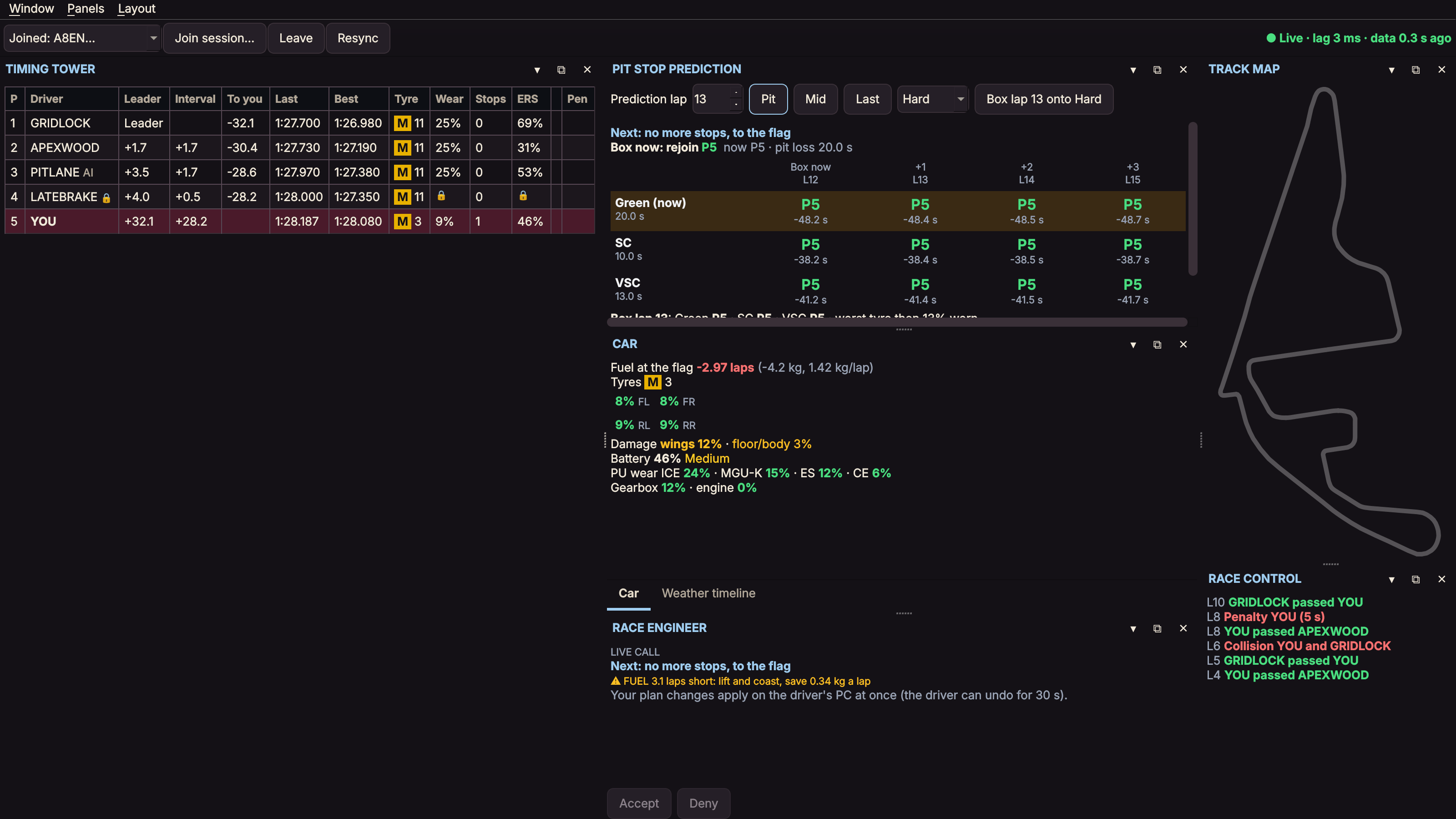
The Race engineer window is now a workspace of panels that your engineer drags, stacks as tabs or pulls out onto another monitor. They can open more windows (Ctrl+N), save layouts and pick a preset: Race, Quali, Wet race, Team or Classic.
- Timing tower of the whole field, your car (tyres, damage, fuel, ERS), the track map, race control and the driver laps of any car.
- Pit stop prediction: where you rejoin if you box now or in 1, 2 or 3 laps, under green, Safety Car and VSC, with the gaps to the cars around you.
- Undercut and overcut on the cars around you, a weather timeline with the rain chances ahead, the tyres and damage of every car, a focus car and lap and gap charts.
- The app's own suggestions: the Race engineer panel shows the app's suggestion and live call, so your engineer sees what the app would do and can take it or turn it down.
Plan changes apply at once, with Undo
When your engineer changes your pit plan (box on lap 23 onto Mediums, or takes the app's suggestion), it applies on your PC at once. Your HUD shows it with a beep, and for 30 seconds one press undoes it: Deny on your wheel, or Undo engineer change on the Share card. If you would rather confirm each change, set Engineers may change my plan to Ask me, or to Off.
Radio on your HUD
Your engineer sends BOX BOX, BOX NEXT LAP, PUSH, SAVE FUEL, SAVE TYRES, DEFEND, ATTACK, HOLD POSITION, STAY OUT, SC PREPARE, RAIN COMING or a short text. It shows on your HUD with a beep. The box calls stay until you acknowledge them or drive into the pit lane; safety warnings like the pit limiter always come first. Map Acknowledge engineer to a wheel button in Settings, and your engineer sees that you got it.
Team view of two drivers
A teammate who also uses the app joins your room with Join as second car on their Share card. Your engineer then sees both of you: the Team preset puts both cars and both pit stop predictions side by side, and the Team panel shows the gap between you and warns when you both plan to stop on the same lap.
Engineer AI
The engineer gets an Engineer AI panel with three buttons, on their own Google account and their own share of the free AI budget:
- Ask: a question about the race right now, answered from the live state of the room.
- Strategy check: the AI reviews the current plan against tyres, gaps, weather and Safety Car risk, with the app's own call as a second opinion.
- Debrief: after the race, the AI goes through the engineer's calls and the race.
Nothing is sent without a button press. Like the other AI features, the engineer AI starts on 15 November.
Race packs from screenshots
When you create a race pack, you can now add up to 8 pictures next to the Discord text: screenshots of a setup message, a race details post or a strategy and setup page. Click Add pictures ..., Paste picture, or press Ctrl+V. Read with AI reads the text and the pictures together: laps, pit loss, fuel, tyre wear, tyre life, crossover, strategies with pit windows (for your race distance) and the setups.
- Up to 12 setups per pack, so Esports, Safe, Parc Ferme, Inter and Wet setups all fit.
- When two sources disagree (for example 18 s and 18.3 s pit loss), the app shows both with where they came from, and you pick one.
- Pictures are sent to the AI like pasted text and are not stored on the server.
Delete sessions from the Sessions page
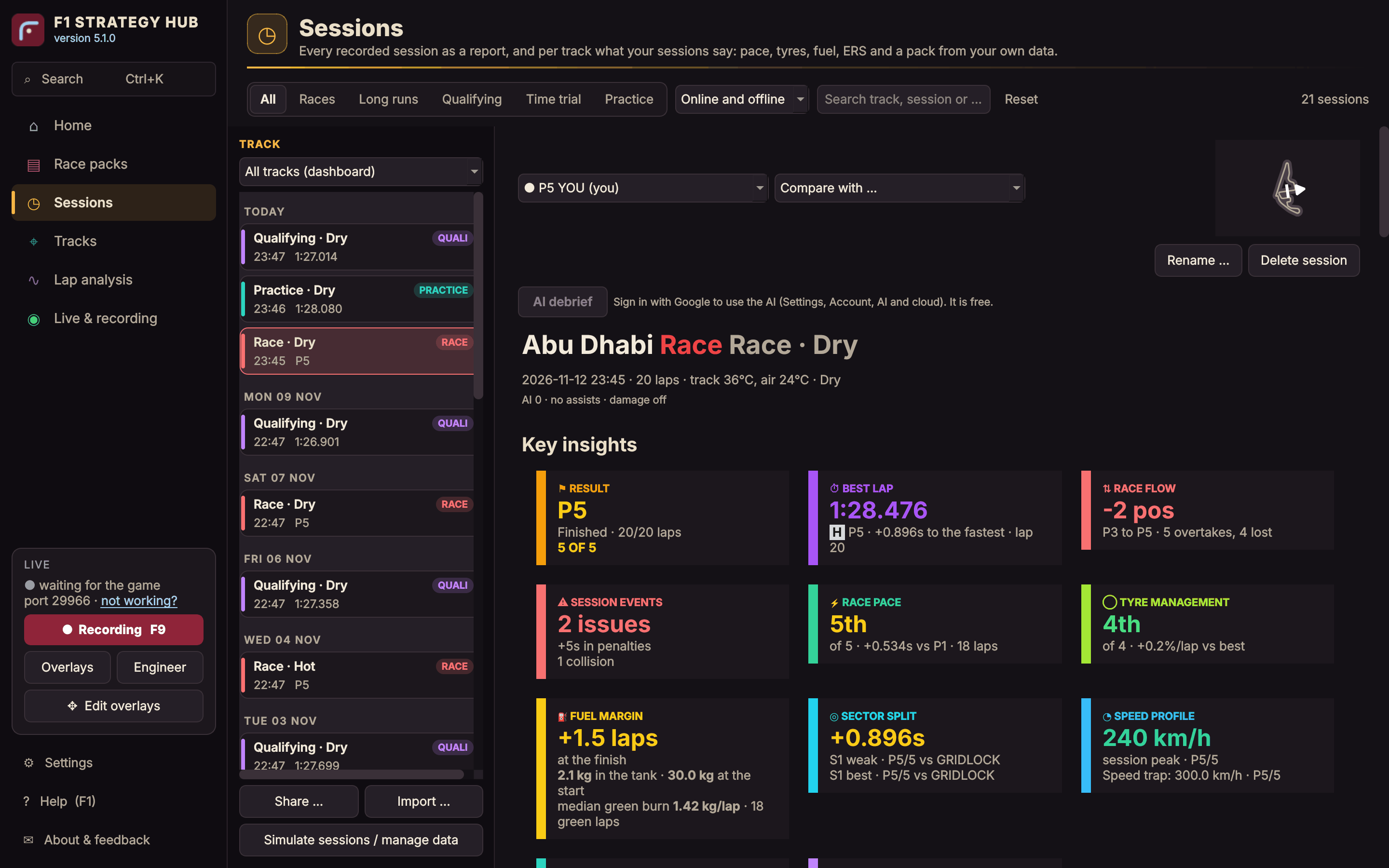
Open a session's report and click Delete session at the top, or right-click a session in the list and pick Delete. The app asks first.
Smaller things
- What's new in About & feedback opens the update posts on the website, and there is a Newsletter link next to it.
How to update: the app offers it at startup (Update now). Or download the setup from GitHub and run it; your packs, sessions and settings stay.